The product is the pitch: our demos come from Xona itself
· Jack Jia · 4 min read
- xonark
- xona
- product
- engineering
Most product websites lie a little bit.
Not always in the claims. In the screenshots.
A team ships a feature. Someone rebuilds the idea in Figma. The homepage gets a beautiful product card. Three weeks later the product changes, the screenshot does not, and the website becomes a historical artifact.
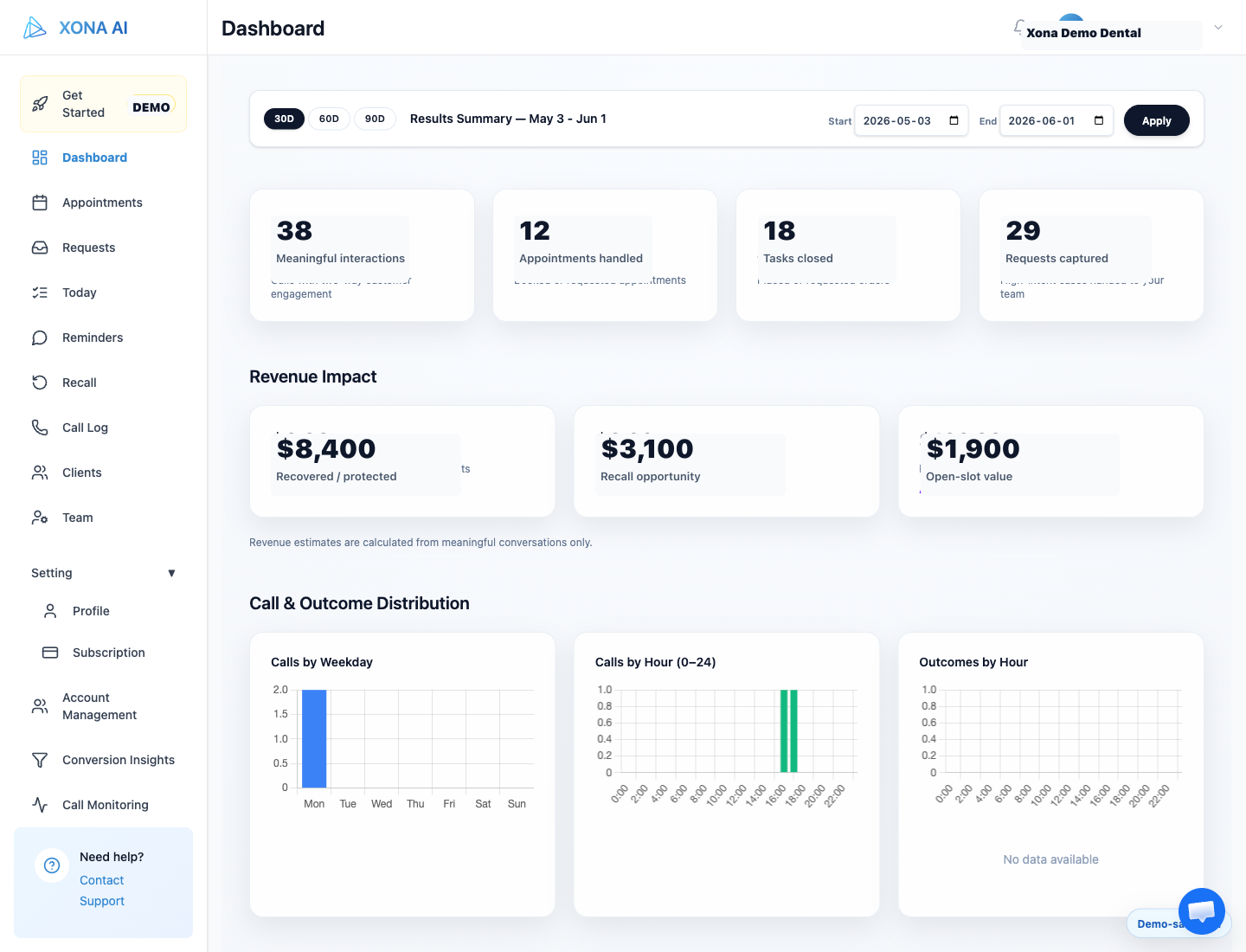
For Xona, that was the wrong direction. The product handles dental calls, reminders, recall, open-slot recovery, staff review, and clinic rules. If the website is supposed to build trust, the visuals should come from the product itself.
That is the idea behind the new Xonark site: the public story should stay close to the workflows the front desk will actually see.
The hard part is that the product also touches real operational data: patient names, phone numbers, appointment notes, clinic settings, and schedule state. We wanted proof, not a privacy mistake.
So we built DAC.
The rule: real product, demo-safe data
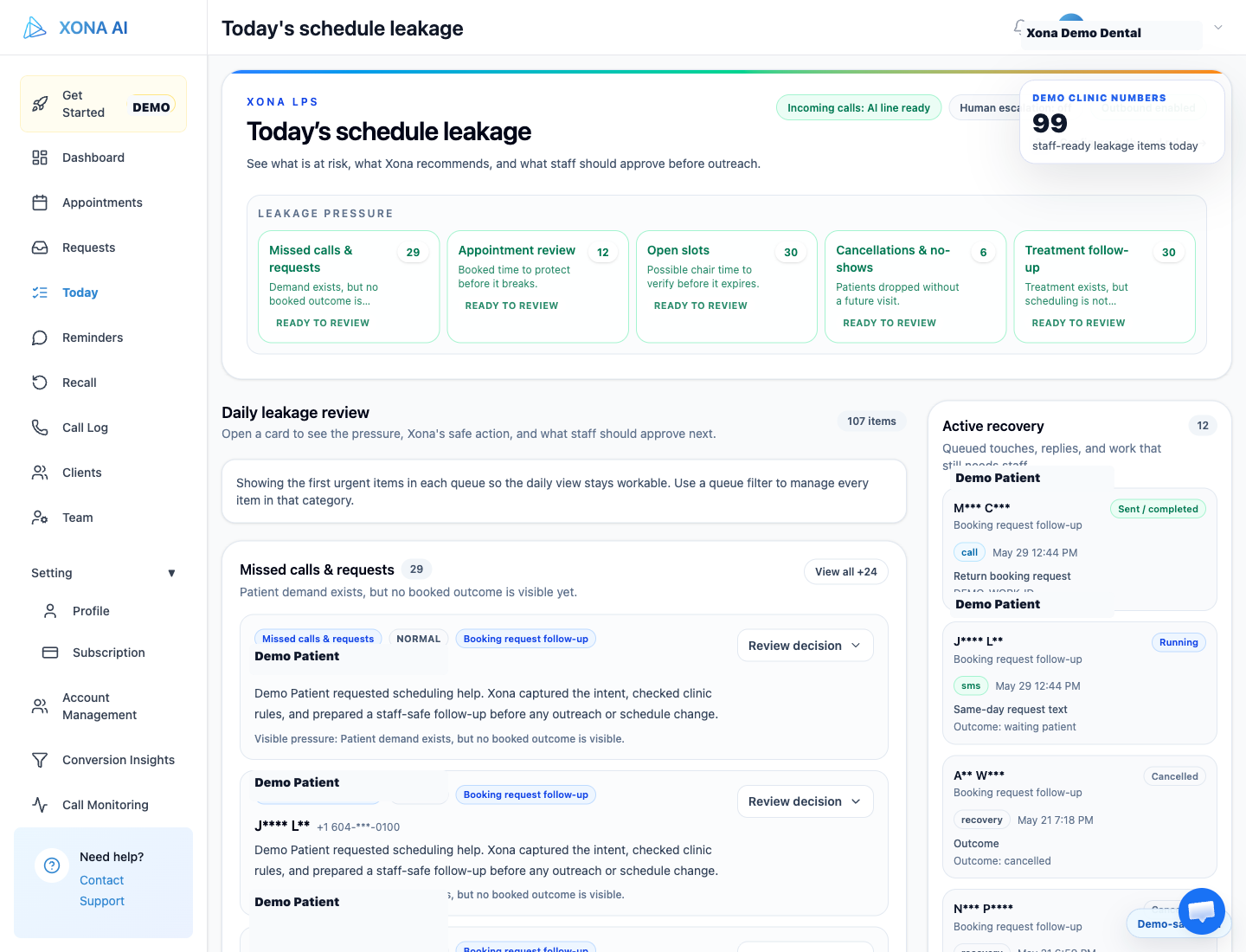
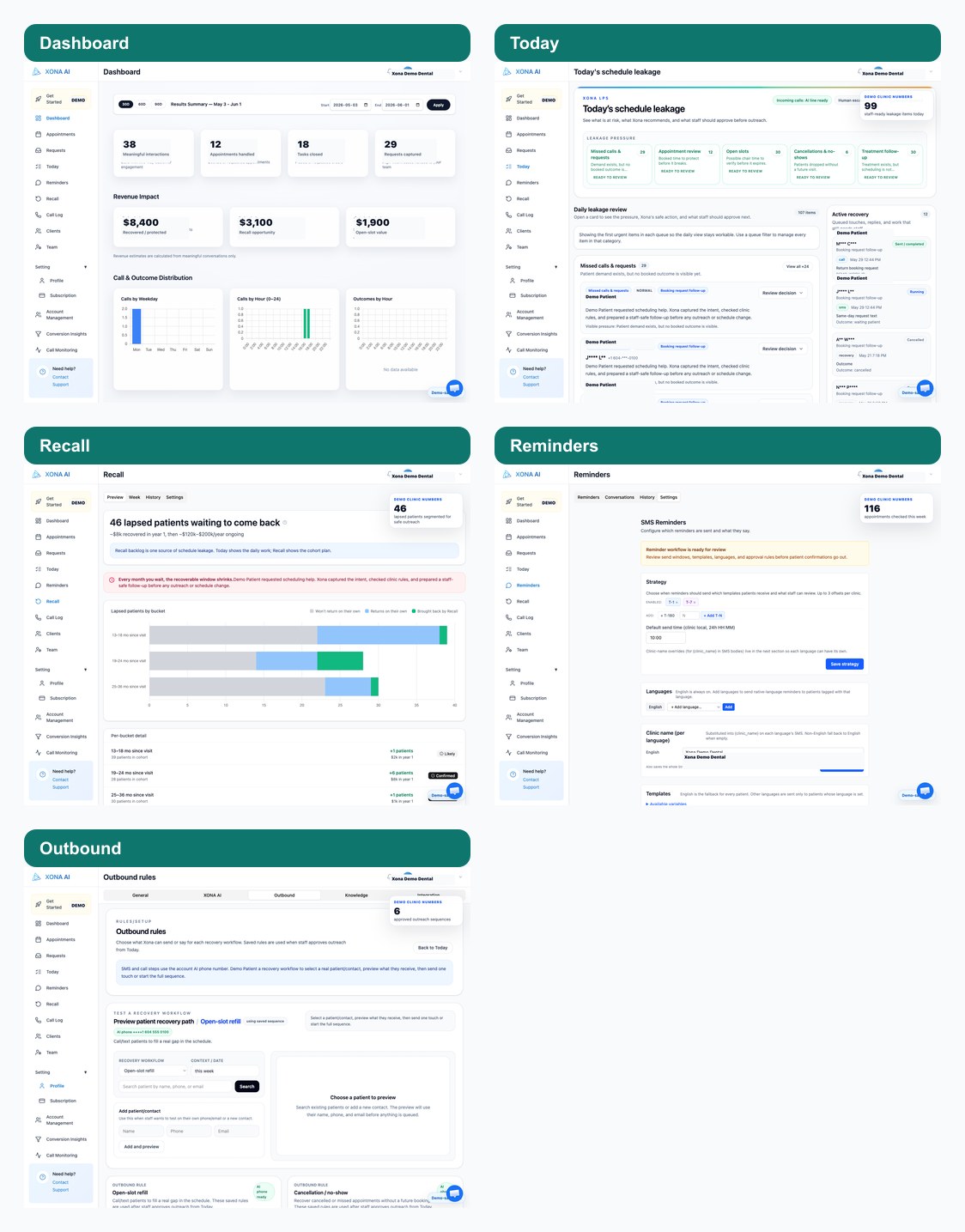
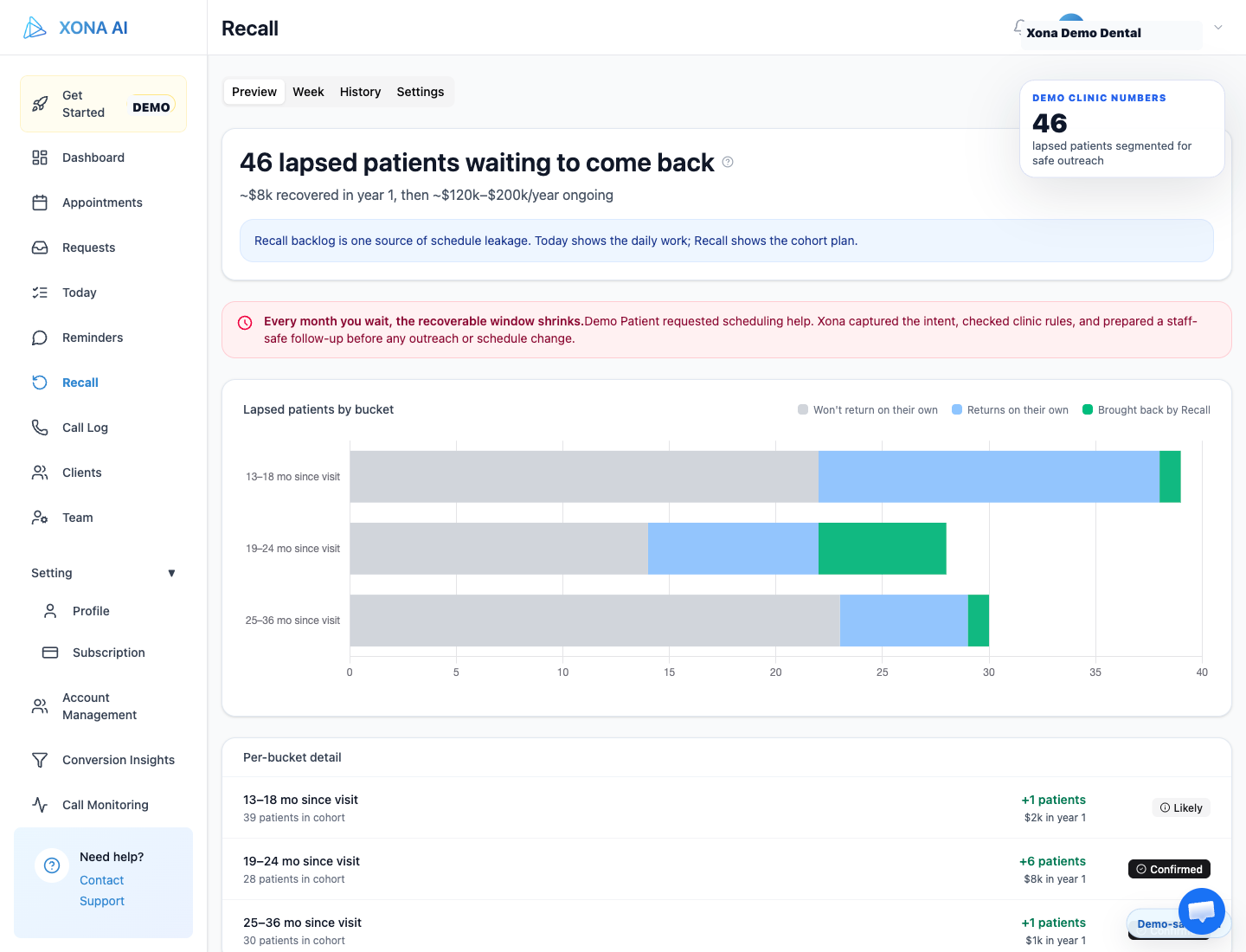
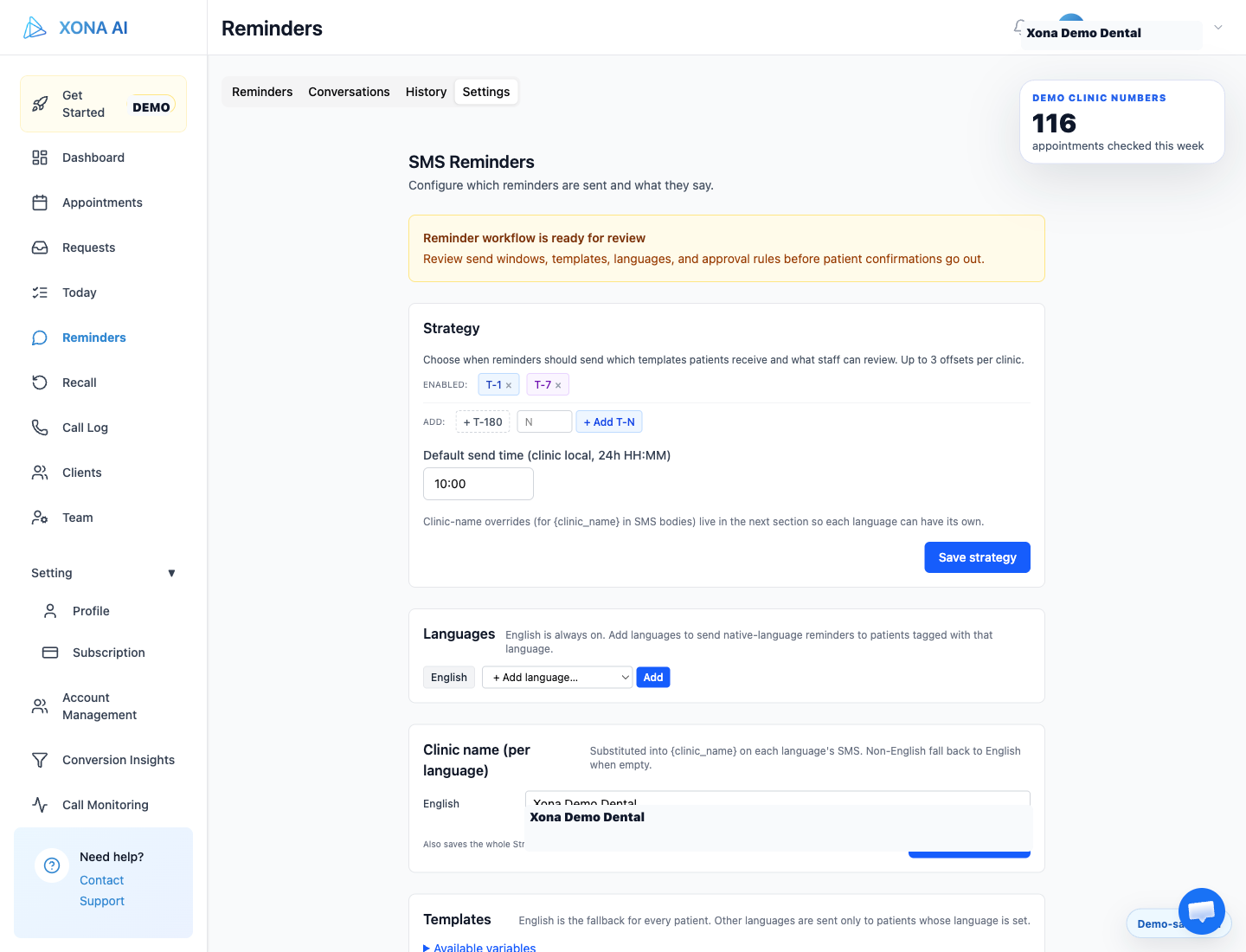
The capture pipeline starts from the running Xona app. The agent opens the same product surfaces a clinic would use: Dashboard, Today, Recall, Reminders, outbound rules, and Xona AI settings.
Before it exports anything, the page has to be in demo-safe mode. Xona marks the page as safe only after the PII display layer has run. The capture script refuses to export unless the page exposes the ready state.
That gives us a simple rule:
If the product is not demo-safe, there is no website asset.
DAC: Demo-Aligned Commerce
DAC — Demo-Aligned Commerce — means the product is the pitch: real clinic workflows become the website demo, the sales proof, and the feedback loop.
The display side marks sensitive fields like patient names, phone numbers, emails, clinical notes, and messages. The workflow side gives the agent stable handles for product states and scripted actions.
The important part is not the acronym. The important part is alignment.
When the Today page changes, we should not hand-edit five marketing screenshots. We should rerun the capture. The website should follow the product, not drift away from it.
Real workflows → demo → sales conversations → product improvements → better workflows.
From screenshots to slides to video
The same capture run can produce several useful outputs:
- still screenshots for product pages;
- a contact sheet for editorial review;
- frame sequences for short video loops;
- poster images for fast page loading;
- slide-style website sections that search engines can still understand through page text, headings, filenames, and alt text.
That last point matters. A video alone is weak proof for search and accessibility. A page with clear copy, product screenshots, alt text, and optional video is stronger.
Why this matters for buyers
A dental owner or office manager should be able to ask: is this a real workflow or just a landing-page animation?
Our answer should be visible in the asset itself:
- the product has a real Today queue;
- recall is a real workflow, not a static promise;
- reminder settings are actual controls;
- outbound rules are visible before patient contact expands;
- staff approval is shown before risky actions.
The website is now downstream of the product
This is the part we care about most.
The website is not a parallel design system making claims about Xona. It is downstream of Xona. The product generates the proof. DAC makes it safe. The website turns those captures into pages, slides, and video surfaces that prospects can review before they talk to us.
That is slower than making a fake screenshot once.
It is faster than maintaining fake screenshots forever.
If you want to see the current public version, start at xonark.com. If you want to review where a practice may be leaking schedule value, use the free Dental Leakage Scan.