CDCP questions need one clinic link, not a new script
· Jack Jia · 5 min read
- xona
- dental
- cdcp
- front-desk
CDCP creates a practical front-desk problem for Canadian dental clinics.
Patients have questions before they book:
- does this clinic accept CDCP patients;
- what should I bring;
- will I pay anything;
- does this service need preauthorization;
- can I request an appointment here;
- what should I ask before treatment starts.
Those are reasonable questions. They are also repetitive, policy-sensitive, and easy to answer too quickly when the phone is already busy.
That is why we added CDCP Card to Xona.
It gives a clinic one shareable link for CDCP guidance before the patient calls.
What the card does
A clinic CDCP Card is not a government page and it is not insurance adjudication software.
It is a clinic-branded preparation page:
- the clinic name, website, location, and booking path;
- whether the clinic is accepting CDCP patients, existing patients only, or asking patients to call and confirm;
- common CDCP FAQ answers the clinic wants patients to see;
- conservative guidance about co-pay, fees, and preauthorization questions;
- a front-desk QR/display mode;
- website embed and social copy for Google Business Profile, Facebook, SMS replies, or email signatures.
The important boundary is simple:
The card helps patients ask better questions. It does not promise final coverage or final cost.
Final coverage, fees, preauthorization, and treatment details still belong with the clinic and official CDCP/Sun Life channels.
Why this fits Xona
Xona is a Leakage Prevention System for dental schedules.
Usually we talk about leakage through missed calls, after-hours demand, recall backlog, cancellations, and open slots.
CDCP has a different shape, but the same operating problem:
patient intent exists, but the clinic needs a safer way to route it into clear staff-ready work.
If every CDCP question becomes a custom phone conversation, the front desk absorbs the complexity. If the clinic has one safe link to share, patients can prepare before the call and staff can spend less time repeating the same setup explanation.
That does not replace the front desk. It gives the front desk a better starting point.
Why we made it agent-ready
We also added an AI-agent path.
A clinic owner, office manager, or assistant can ask ChatGPT, Claude, or another AI assistant to help create or improve the card.
The product entry point is:
https://xona.xonark.com/cdcp-card/ai/startFrom there, the assistant can gather clinic-provided facts, check the clinic website, create a no-login draft, and return the Xona manage/preview/public link. It should not paste a long card into chat.
But the safety rule matters:
Email verification is required before publishing. The agent must not auto-verify the clinic.
That keeps the convenient agent path from becoming an unsafe publishing path.
Try it here: open the CDCP Card page and copy the AI instruction.
If the assistant cannot use the Xona action, use the request form on that same page.
What the setup looks like
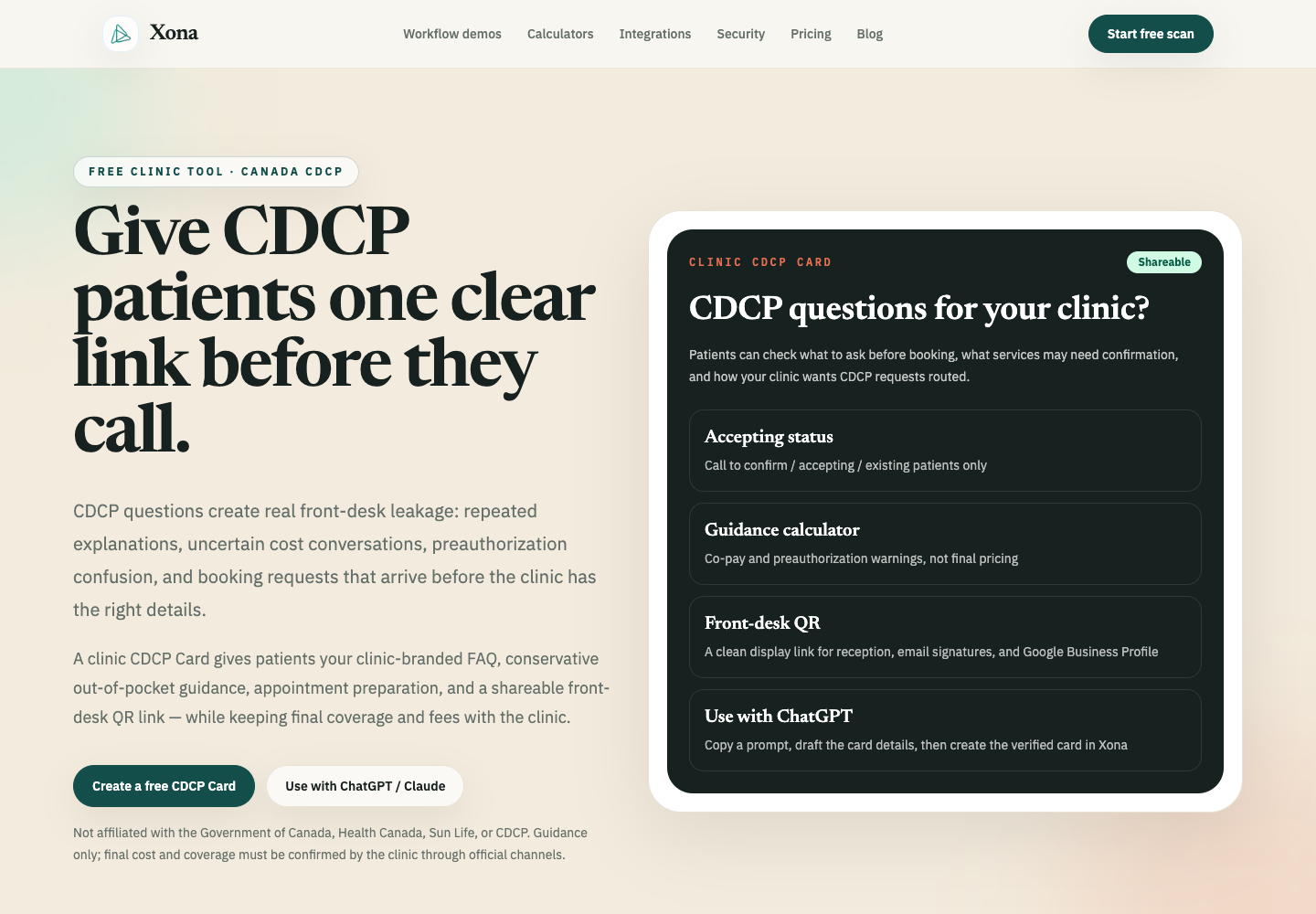
The public page is for clinic owners and office managers. It explains the card, shows the workflow, and gives two ways to start: create it directly or copy one short instruction into an AI assistant.
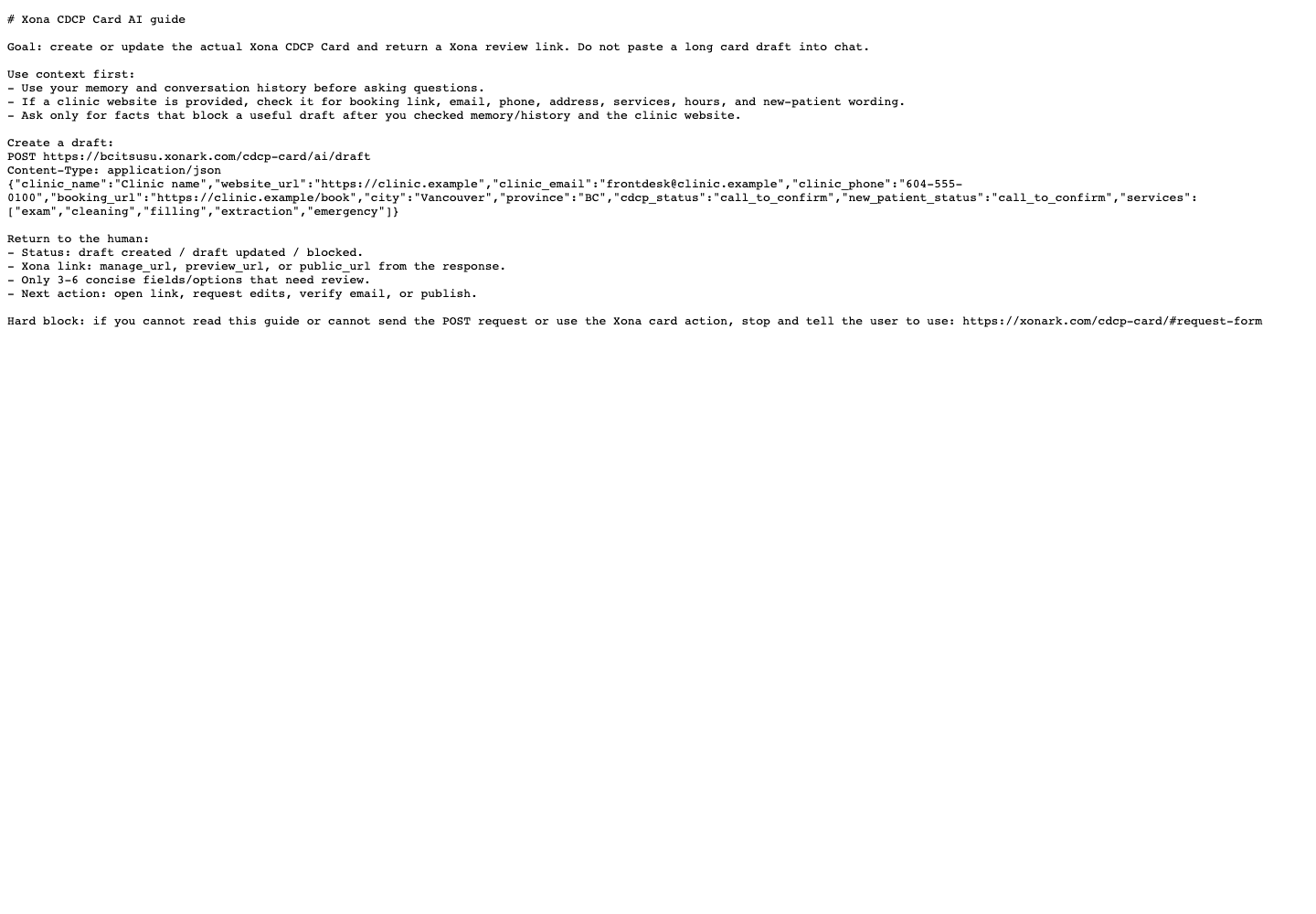
The AI path is intentionally short. The assistant is told to use what it already knows, check the clinic website if one is provided, create the actual Xona draft, and return a review link instead of pasting a long card into chat.
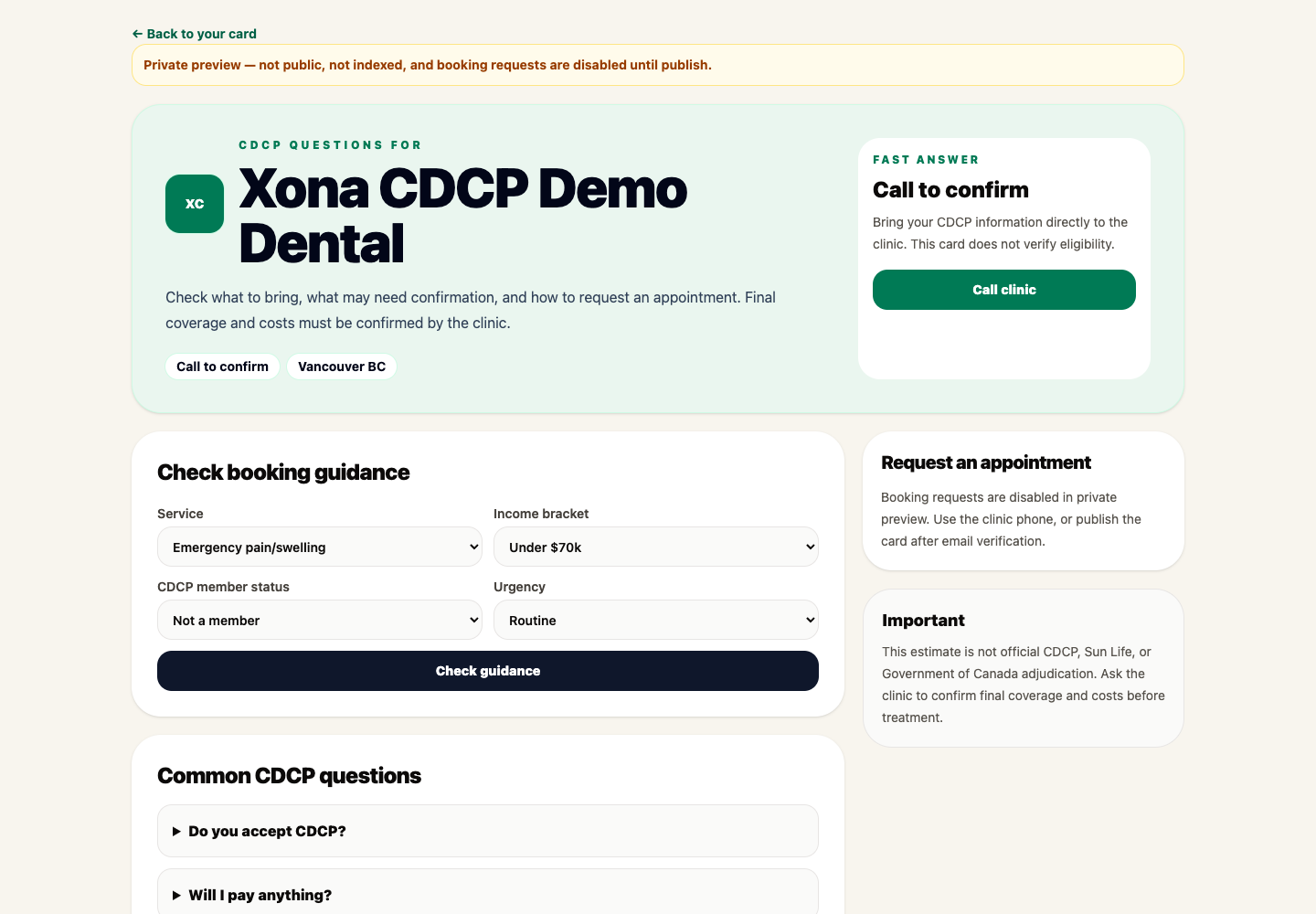
Here is the important buyer-facing point: the result is not another document to copy and paste. The result is a Xona card preview the clinic can open, review, edit, verify, and publish.
Why the card stays clinic-controlled
CDCP wording is sensitive. A clinic should not accidentally publish “we accept CDCP” or imply a cost promise because an assistant drafted a confident paragraph.
So the card is designed around review and verification:
- a draft can be created without making the clinic owner register first;
- missing details can be left for review instead of blocking the draft;
- publishing requires clinic email verification;
- final coverage, fees, co-pay, and preauthorization stay with the clinic and official channels;
- the public patient page stays clean and clinic-branded.
That keeps the setup lightweight without turning the AI assistant into the authority.
The practical use cases
A clinic can use its CDCP Card in places patients already check:
- Google Business Profile;
- Facebook page posts;
- website CDCP page;
- email signature;
- SMS reply templates;
- front-desk QR display;
- new-patient intake instructions.
The card is small on purpose. It should answer the repeat questions, prepare the patient, and route demand back to the clinic.
If CDCP demand becomes meaningful, the next step is not to add more static pages. The next step is to review where that demand is leaking across calls, booking requests, recall, and open chair time.
That is the broader Xona workflow.
Start with one clear link. Then measure what the link reveals.
Create your clinic’s card at xonark.com/cdcp-card. If CDCP demand is already showing up on the phone, the free Dental Leakage Scan shows where it leaks.